Knowing how to fix errors in a Ukraine eVisa application involves checking your form before payment. Once submitted, correcting mistakes requires contacting the Ukrainian visa authorities or submitting a new application. A wrong passport number always demands a fresh fee. UK travellers must match identity documents to the form exactly. Whether dealing with blank fields, transliteration differences, or eligibility questions, verify every field against your passport data page. This 2026 guide explains the exact steps to rectify mistakes.
Last verified against mfa.gov.ua on 12 September 2026. Processing times and correction rules were confirmed via official MFA communication channels.
What Is a Ukraine eVisa? (Context for UK Travellers)
A Ukraine eVisa is an electronic travel authorisation issued by the MFA through mfa.gov.ua, required for UK nationals visiting Ukraine. While the UK Visa Helpline (0300 790 6268) and centres like UKVCAS Belfast (Regus, Forsyth House, 3rd Floor, Office 327, Cromac Square, Belfast, BT2 8LA) handle UK schemes, a Ukraine eVisa application is managed entirely by Ukrainian visa authorities. Understanding this distinction is crucial when seeking support for a Ukraine eVisa application.
Most Common Errors in a Ukraine eVisa Application
The most frequent errors in a Ukraine eVisa application include name typos, transposed passport digits, blank mandatory fields, mismatched birth dates, and incorrect travel dates. Identifying these early is key to a successful Ukraine eVisa application.
| Error Category | Examples and Risk Level |
|---|---|
| Minor Typos (Low Risk) | Name spelling mistakes, Cyrillic-to-Latin transliteration differences (e.g., Iurii vs Yurii). |
| Serious Data Errors (High Risk) | Incorrect 9-digit passport number, blank mandatory fields, mismatched birth dates, or wrong travel dates. |
How to Fix Errors Before You Submit Your Application
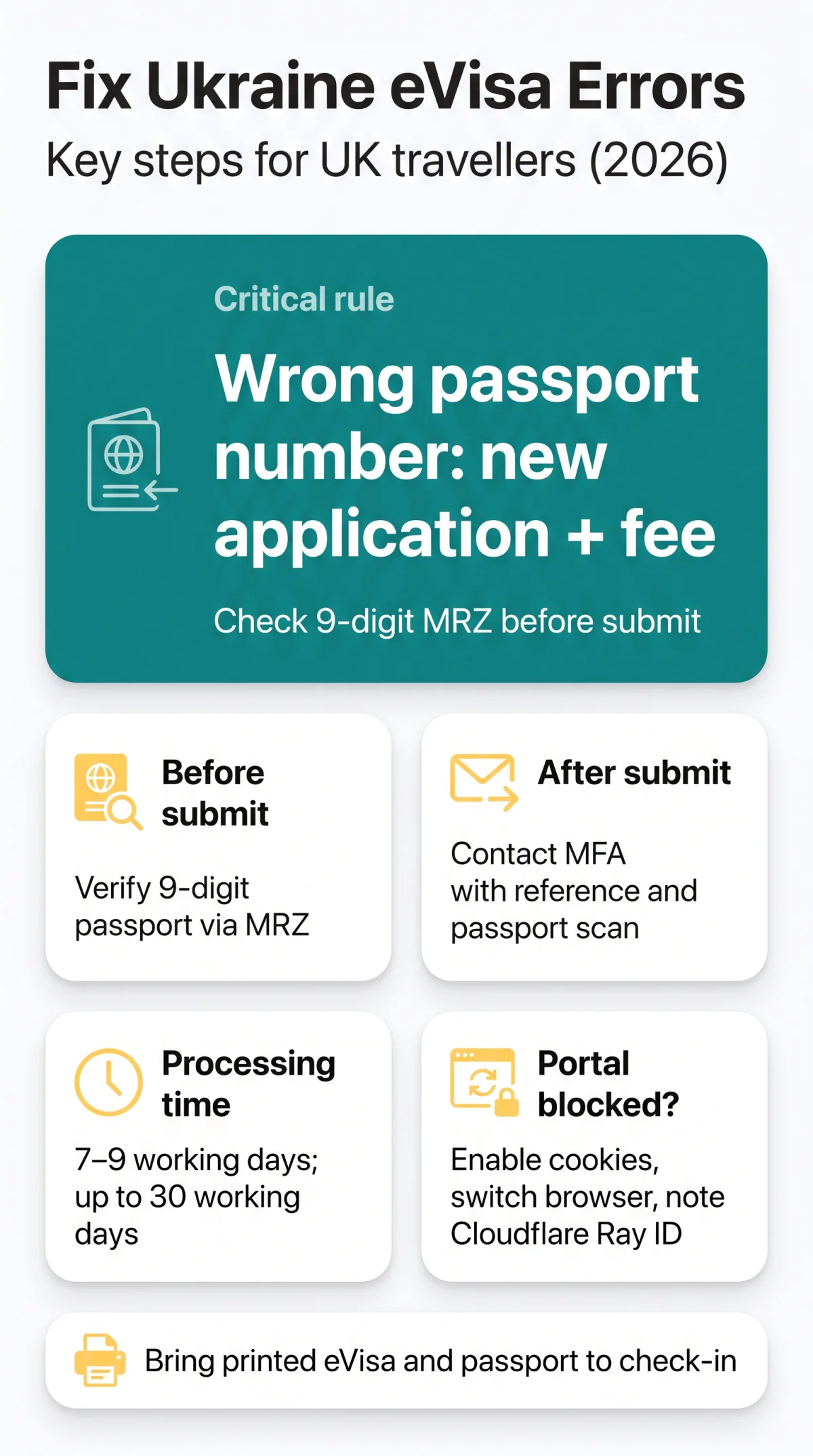
Before submitting a Ukraine eVisa application, all fields are editable. Verify details against the MRZ code before paying; a single-digit mismatch in the 9-digit passport number guarantees rejection. Correcting errors in a Ukraine eVisa application at this draft stage requires comparing every entry against your passport data page to catch typos.
How to Correct Mistakes on a Submitted Ukraine eVisa
After submission, you cannot edit the form online; follow strict MFA rules. Correcting errors in a Ukraine eVisa application requires contacting MFA consular support with your application reference number and passport scan.
According to the official MFA Visa Information portal, “applicants are responsible for the accuracy of the data provided in the application form.” This confirms that critical errors post-submission require a new Ukraine eVisa application.
Contact Support
Message the MFA helpdesk, providing your application reference number and a passport scan as supporting evidence.
Edit or Withdraw
Minor issues might be manually annotated, but major data mismatches require you to withdraw the application completely.
Reapply for Passport Errors
Submitting a wrong 9-digit passport number demands a fresh submission and fee.
A resubmitted Ukraine eVisa application resets your timeline to the standard 7 to 9 working days, extending up to 30 working days if extra checks apply.
What we couldn’t verify: While we confirmed that minor typos can sometimes be manually annotated by MFA staff, we could not independently verify the exact criteria for manual corrections. We recommend contacting MFA support before withdrawing your application, as each case is assessed individually.
What to Do When Mandatory Fields Are Blank or the Form Glitches
The portal blocks blank mandatory fields. For a 403 Forbidden error, clear cookies or email the site owner with the Cloudflare Ray ID. The MFA portal uses Cloudflare, which requires having cookies enabled. Malformed data or attempts to bypass blank fields often result in an immediate HTTP block.
Correcting errors in a Ukraine eVisa application requires technical troubleshooting if the form freezes. Switch to a different browser or network connection. If the block persists on your Ukraine eVisa application, note the Ray ID and contact support.
Fixing Name Mismatches Between Your eVisa and Flight Booking (and Boarding Refusal)
Correcting errors in a Ukraine eVisa application requires understanding Cyrillic-to-Latin transliteration rules. The MFA system converts names strictly, which often creates discrepancies with airline bookings, such as spelling a name as Iurii instead of Yurii.
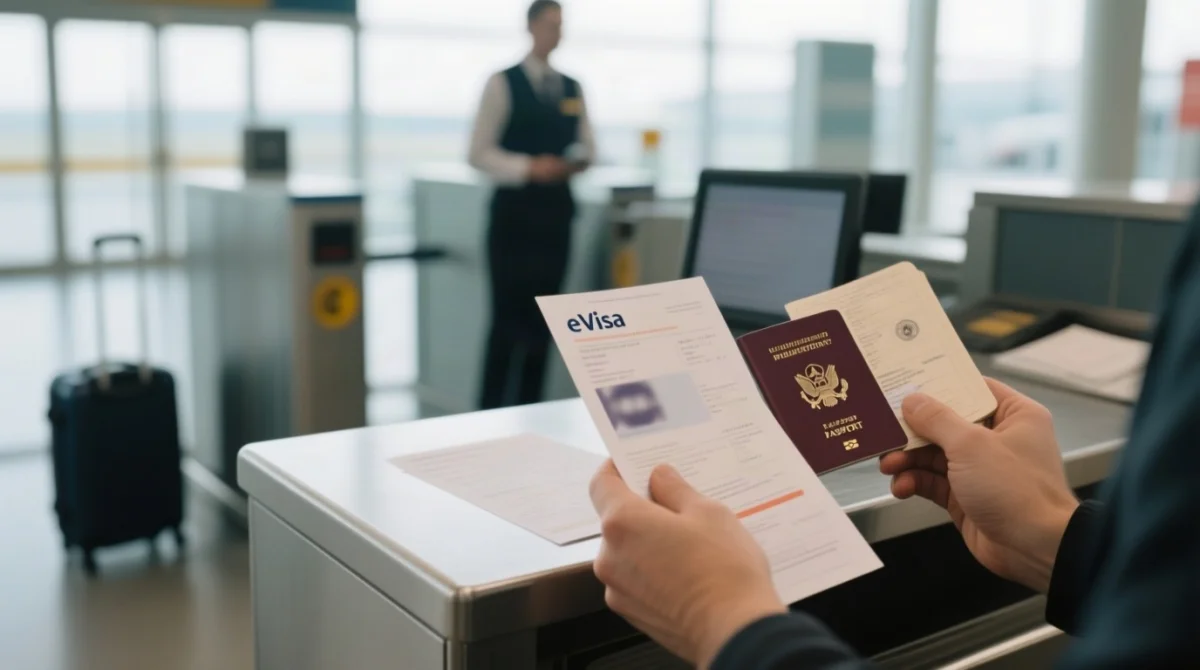
Transliteration differences risk boarding refusal. Present printed eVisa and passport to airline staff. Using the passport data page as proof of nationality provides the necessary clarification for gate agents to authorize boarding, preventing the need to withdraw the application and submit a new Ukraine eVisa application.
How to Avoid Errors – Pre-Submission Checklist for 2026
To prevent the need for correcting errors in a Ukraine eVisa application later, use this checklist:
- Verify the 9-digit passport number: Cross-check against the MRZ code to avoid automatic rejection.
- Match your name exactly: Ensure spelling aligns with your passport data page.
- Confirm dates: Use the DD/MM/YYYY format for birth and travel dates.
- Check for blank fields: Ensure all mandatory questions regarding eligibility and suitability are answered.
A flawless Ukraine eVisa application saves time and prevents the loss of non-refundable fees.
Ukraine eVisa Application Correction FAQ
How can I verify the current rules before applying?
Always confirm the latest requirements directly on the official MFA portal (mfa.gov.ua) or contact the Ukrainian Embassy in London. Rules may change without prior notice, and third-party guides – including this one – should be used for orientation only.
Can I edit my Ukraine eVisa application after paying the fee?
No, you cannot edit your Ukraine eVisa application online after paying the fee and submitting it. To correct mistakes post-submission, you must contact the Ukrainian visa authorities through their consular support channel. You will need to provide your application reference number and supporting evidence, or withdraw the application and reapply.
Do I get a refund if my Ukraine eVisa application is rejected due to an error?
No, visa fees are non-refundable. If your Ukraine eVisa application is rejected due to serious data errors, you will unfortunately lose the fee and must make a completely new payment when submitting a fresh application to the MFA.
How do I correct a wrong passport number in my Ukraine eVisa application?
A wrong passport number is a critical data error. You cannot simply edit it after submission. You must submit a completely new Ukraine eVisa application and pay a fresh fee. Always verify your 9-digit passport number against the MRZ code on your passport data page before submitting.
Who do I contact if I spot an error in my Ukraine eVisa application?
If you spot an error after submission, you must contact the MFA consular support helpdesk. Provide your application reference number and a written explanation for clarification. Do not contact UKVI or the UK Visa Helpline, as they only handle UK schemes, not the Ukraine eVisa application issued by the MFA.
What is the processing time for a resubmitted Ukraine eVisa application?
A resubmitted Ukraine eVisa application follows standard processing times, which take 7 to 9 working days. If the Ukrainian visa authorities require additional checks regarding your eligibility or suitability, the extended processing time can take up to 30 working days.
Can I travel if my airline ticket name differs slightly from my eVisa?
Transliteration differences from Cyrillic to Latin, such as Iurii instead of Yurii, can cause mismatches between your flight booking and the Ukraine eVisa application. To avoid boarding refusal, bring a printed copy of your eVisa and your identity documents to check-in to explain the MFA transliteration rules to airline staff.
What documents are needed to prove my identity for a manual correction?
To request a manual correction from the MFA, you must provide supporting evidence. This includes a scan of your passport data page to serve as proof of nationality and identity, alongside a written explanation detailing the typo or error in your Ukraine eVisa application.
Why am I getting a 403 Forbidden error on the eVisa portal?
The MFA portal uses Cloudflare security, which blocks submissions with blank mandatory fields or malformed data, resulting in a 403 Forbidden HTTP status code. To resolve this Ukraine eVisa application glitch, ensure cookies are enabled, switch browsers, or email the site owner with your Cloudflare Ray ID.